
Code Academy PHP Tutorials
Bucky Roberts of the tutorial website NewBoston led the way on teaching viewers the basics and hands on experience with MySQL. He has a total of 33 tutorial videos dedicated to MySQL and utilizes HostGator to create these MySQL databases. Each video is only several minutes long which makes it easy to understand and follow. For those who do not know what MySQL is. MySQL which stands for My-Structured Query Language and is a powerful database tool. It is very relevant to web development because MySQL allows us to create databases and by using functions and syntax of the language; it allows us to organize raw data into useful information. MySQL is very important in today's world because many companies rely on MySQL to handle and store data so that they can easily and hastly pull the necessary information within a database. Popular Websites such as Facebook, Google, and Youtube a big companies that use MySQL databases. Below I provided screenshots from Bucky Roberts' tutorials on Youtube. Each set of pictures shows the MySQL code syntax(top) and the output of that code(bottom).
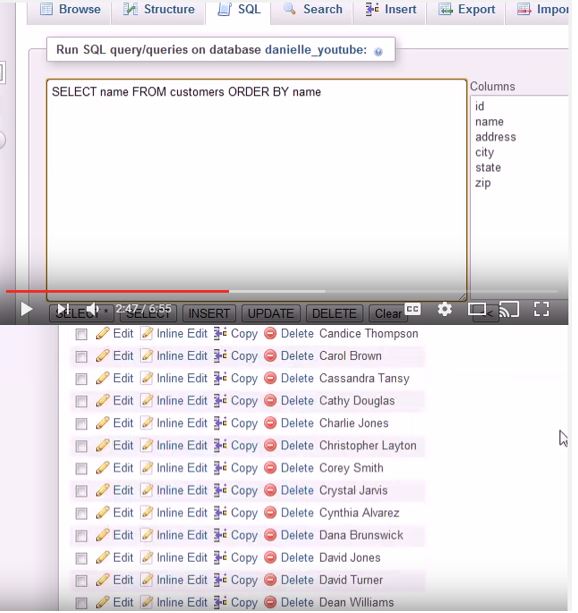
1. The first picture shows a basic function of MYSQL. The words that are capitalized SELECT, FROM, ORDER BY are all MySQL functions necessary to perform operations for the database. In this case, Bucky Roberts SELECTs a column named 'name' FROM a table called 'customers' and ORDERS BY name in Ascending order. As a result you can see that all the names in the database are organized alphabetically.
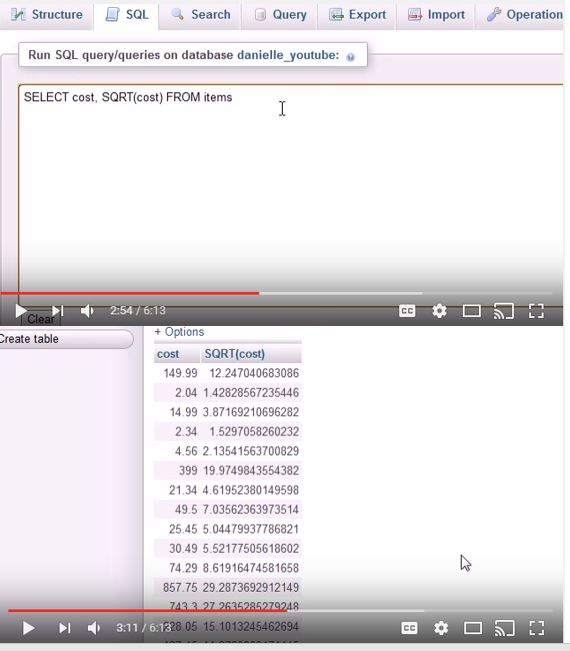
2. Second picture shows one of many functions MySQL is capable of doing. Here, Bucky Roberts uses the Square Root function syntaxed 'SQRT()' in order to find the square root for each cost of an item. As you can see he SELECTs a column called 'cost' and SQRT(cost) FROM a table called 'items'. The output shows a new column that has each cost square rooted.
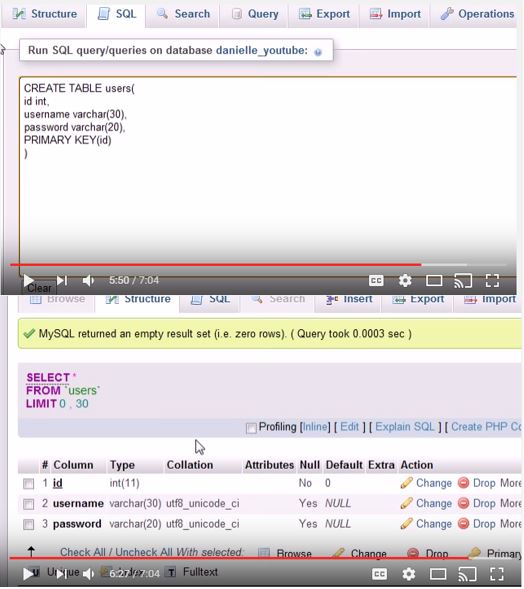
3. Third picture, Bucky Roberts shows users how to create a basic table using just MySQL code instead of importing data from an outside file. He uses CREATE TABLE to create a table and names it 'users' with the columns 'id', 'username', and password'; and sets 'id' as the primary key. The output shows a newly created table in the database with the mentioned columns.